Flying Tesla Roadster Controls
Drive, stick, lift, boost, and fire abilities without fighting the HUD.
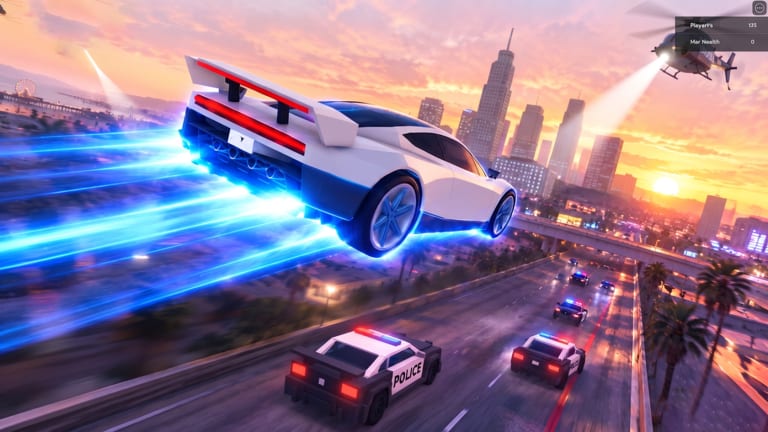
Flying Tesla Roadster ships with PC, controller, and mobile support. The Roblox page does not publish a full key table, so this guide splits confirmed store bindings from standard vehicle-sim defaults. Where a key is confirmed, we say so. Where we describe a likely layout, we label it as a default you should verify in your session (many Roblox driving games let you open a controls pane or the F9 developer console chatter that players mention in comments).
Confirmed: ability key X
Every combat gamepass description that names a button uses X:
- Tentacle Arms (199 Robux) — press X: four steel arms burst out for five seconds, swat bullets and rockets, throw anything close, and you take no hurt for the window.
- Rocket Launcher (499 Robux) — press X: five homing rockets from the roof, aimed at tanks, helicopters, police cars, and whatever sits ahead. Reloads one by one.
- Mini Nuke (999 Robux) — press X: flash, mushroom cloud, shock wave.
If you own none of those passes, X may do nothing. Do not mash it on a Spire hairpin expecting extra lift. Lift is PSI, not the ability key.
PC defaults to verify in-game
Most sessions behave like a standard Roblox vehicle:
- W / S — throttle and brake.
- A / D — steer. In the air the same keys often add roll or yaw; test over grass, not over a 1,000 ft drop.
- Space — jump / lift / hover on many clones of this demo. Hold versus tap matters. A tap can hop; a hold can drain PSI.
- Shift — boost on the ground or a thruster punch in the air.
- F or E — enter / exit on many Roblox cars. If you leave the Roadster mid-wall, you will fall as a pedestrian.
- Camera — right mouse or the in-game camera cycle. Keep the bumper in frame when you invert in The Loop.
CHALLS’ controls video is embedded mid-page because it shows the feel rather than a PDF of binds. Watch it after you spawn, not before, so your HUD matches the footage.
Mobile
On a phone the experience draws on-screen throttle, steer, jump/hover, roll, and boost controls. Hold jump to hover on similar Roadster cities; tap rolls if the UI shows Roll L / Roll R. Play in landscape. Thumbs covering the PSI meter is the usual death: you think you have tank left, you do not. Move HUD opacity in Roblox settings if the buttons sit on the gauge.
Controller
A gamepad maps drive to the left stick, steer camera to the right stick, and typically uses A (or bottom face) to hover and a shoulder or B to boost — that pattern appears on sister Roadster games and is the first mapping to try here. Vibration, if enabled, helps you feel suction bite on a wall. Disable vibration if you are hunting hidden rings and the rumble hides a soft landing.
Camera and fail states
Roof landings, spinning in a Cube floor, and clipping the cargo-plane lip are camera problems as much as throttle problems. After a flip, wait for the chassis to settle before you slam boost. If the car is upside down on asphalt, a short PSI pulse plus steer usually self-rights; if not, reset from the Roblox menu rather than fighting a jammed hitbox for a minute.
Once binds feel boring, you are ready for how to fly. Boring means you no longer look at the keyboard when you invert. That is the skill The Spire actually tests.
Session checklist for binds
Before a ranked Spire attempt, spend sixty seconds in a parking lot: throttle, brake, one wall stick, one short lift, one X press if you own an ability. If any of those five inputs surprise you, stay in the lot. The Cube does not grade effort. It grades whether Space was a tap or a hold.
Frequently Asked Questions
Quick answers to the most common Flying Tesla Roadster questions.
What button fires Rocket Launcher?
X, according to the gamepass text. The same key fires Tentacle Arms and Mini Nuke. See the ability tier list.
How do I fly on mobile?
Hold the on-screen jump/hover control and watch PSI. Full flight theory is on how to fly.
Is there a unique PC-only bind?
The creator has not published a unique table. Verify Space, Shift, and camera in your session, then practice on the kart track in tracks and arenas.
Can I remap keys?
Use Roblox's device settings. This wiki does not ship a custom remap file.