How to Redeem Flying Tesla Roadster Codes
Find the box, paste exactly, and ignore strings from Chase or Obby.
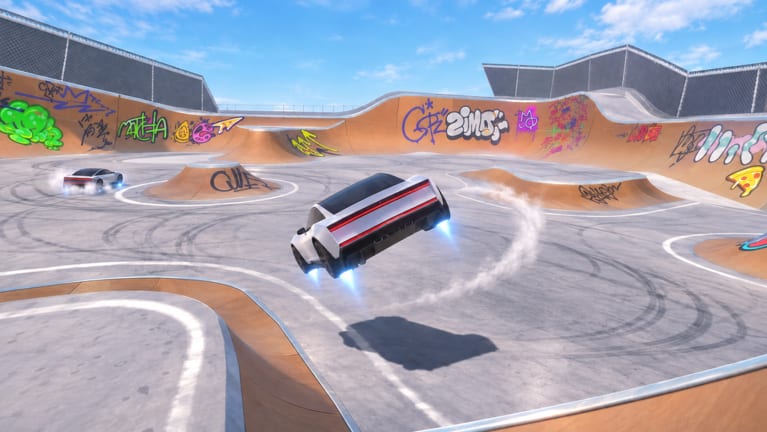
This walkthrough is for swompythesecond’s Flying Tesla Roadster only. If your Roblox tab says Tesla Roadster Chase, Tesla Roadster Obby, Flying Tesla Roadster: New York, or Drive A Flying Tesla Roadster!, you are in a different place and a different redeem UI. Confirm place ID 117359020342229 before you paste anything from the codes hub.
As of late November 2026 this wiki still has no independently verified live string for this place. Learn the menu now so a future banner does not expire while you hunt Settings.
Step by step
- Launch Flying Tesla Roadster from the official Roblox page and wait until the city and HUD finish loading. Redeeming during the spawn fade can swallow a click.
- Look along the left and right edges for Settings, Rewards, Shop, or a ticket/gift icon. Vehicle sims hide codes in one of those four. There is no public screenshot that pins a permanent Codes button for this exact HUD, so check all four after every patch listed on updates.
- Open the panel that has a text field. If Settings is long, scroll to the bottom — several Roblox driving games park the CODE box under graphics sliders.
- Paste the string exactly. Case sensitive. No space before or after. Do not type a lowercase version of an uppercase code.
- Press Redeem, Claim, or the equivalent. Watch gold, PSI, or a trail popup. If nothing moves, the string is expired, mistyped, or belongs to another game.
- Close the menu before you start a timed boost. A 2x window that ticks in Settings is a wasted window.
Error messages and what they usually mean
- Invalid / doesn’t exist — wrong game, typo, or a YouTube thumbnail code that was never real.
- Already redeemed — your account already ate it. You cannot share one string twice on the same user.
- Expired — you were late. Move it mentally to the retired list; this wiki will do the same when we have rows.
- Blank — the UI ate the click. Rejoin the server and try once more. Twice is enough; after that stop and check the creator profile.
Where a real code would be announced
Watch the experience description, in-game banners after a patch, and swompythesecond’s Roblox profile. This wiki does not list a confirmed Discord or Trello for the creator. Random screenshot accounts are how Chase codes leak into this game’s comment sections.
Never buy a “code bundle” from a third party. Roblox promo strings are free by design. Paid bundles are either stolen accounts or lists copied from the lookalike games on the codes hub.
After a successful redeem
Spend gold using the upgrade planner. Tank and pump beat paint. If the reward was a trail, ignore it and go fly The Spire. Trails do not add PSI.
If you still cannot find a box, the creator may not have shipped codes yet. That is a valid state. Play the beginner guide instead of refreshing TikTok lists titled for a different Roadster.
After you close the menu
Go drive immediately. A successful redeem that sits in Settings while you AFK wastes a timed boost. Put gold into tank or pump using the upgrade planner, then run a single Loop invert so you feel whether PSI refill changed. If nothing in the HUD moved, you did not redeem — you pressed a dead button. Rejoin once, try once more, then stop. Three identical Invalid messages mean the string is for another Roadster place. Compare the creator name again before you comment that codes are broken.
Frequently Asked Questions
Quick answers to the most common Flying Tesla Roadster questions.
Where is the code box?
Check Settings, Rewards, Shop, or a gift icon after the HUD loads. Patches can move it; see updates.
Are codes case sensitive?
Treat them as case sensitive. Paste exactly as published on the codes hub.
Why should I not use Chase codes here?
Tesla Roadster Chase is a different Roblox place. ADMIN2 will not credit this garage.
Can I redeem on mobile?
Yes if the UI shows a text field. Rotate to landscape so the keyboard does not hide Redeem.