Codes
Flying Tesla Roadster Roblox codes status, redeem steps, and warnings so you skip lists from other Roadster games.
View all CodesCodes, fly controls, Spire times, and upgrade routes for the Roblox Roadster.
Fan wiki for Flying Tesla Roadster on Roblox: codes, fly controls, Spire times, collectibles, upgrades, and Mars Mission tips.
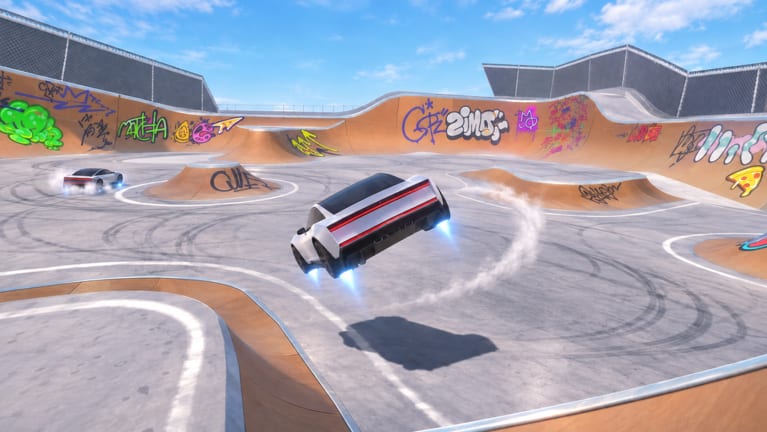

Flying Tesla Roadster is a free Roblox vehicle sim by swompythesecond, live since 17 October 2026. You drive a thruster-fitted Roadster with suction fans that glue you to walls and ceilings, then spend PSI to lift, flip, and boost. The city packs The Spire, The Loop, The Cube, Turbo Ball, a cargo plane, and the Mars Mission event. Start with the beginner guide, learn controls, then check codes and the vehicle tier list.
Flying Tesla Roadster Roblox codes status, redeem steps, and warnings so you skip lists from other Roadster games.
View all CodesFlying Tesla Roadster Roblox guides for fly controls, The Spire, collectibles, upgrades, and the Mars Mission event.
View all GuidesFlying Tesla Roadster tier lists for vehicles, Galactic parts, and X-key abilities ranked for PSI, gold, and events.
View all Tier ListFlying Tesla Roadster garage hub: starter Roadster, Model X Future, Lambo, Galactic parts, and the creator profile.
View all VehiclesFlying Tesla Roadster updates: Mars Mission Event, Open World coverage, and a dated patch history from October 2026.
View all UpdatesFlying Tesla Roadster scripts hub covering auto farm, infinite PSI, executor steps, and account-risk warnings.
View all ScriptsFlying Tesla Roadster tools: Galactic upgrade planner and a rings-and-bolts checklist for the 120 achievements.
View all ToolsOfficial Flying Tesla Roadster links: Roblox experience, creator profile, and fan wiki pages with no fake Discord invites.
View all LinksOpen Flying Tesla Roadster on PC, phone, or a controller. Spawn in the city, hop in the starter Roadster, and spend thirty seconds rolling on flat ground so the camera and throttle feel natural before you touch a wall.
Suction fans glue the car to walls and ceilings. Thrusters spend PSI to lift, flip, and boost. Follow the controls table, then the how to fly guide so you do not dump a full tank on the first rooftop.
Open the codes page before a long grind. If a string is live, redeem it, then put gold into tank and pump before cosmetics. The upgrade planner shows why Galactic Tank sits at the top of the PSI ladder.
Run a lap of The Spire, ride the ceiling in The Loop, or clear a Cube floor. After you can land on your wheels, start the 25 hidden rings and 15 Golden Bolts so achievements tick while you explore.
The experience title currently carries Mars Mission Event. Fly the Red Planet route, then skim updates so you know which landmark or ability shipped last.
Quick answers to the most common Flying Tesla Roadster questions.
Read the beginner guide, then the controls page. Claim anything listed on codes before you spend gold on paint.
No. It is a free Roblox fan experience inspired by Tesla's October 2026 Roadster demo. Production of that car is still years away. This wiki covers the Roblox game only.
As of late November 2026 we have no independently verified live codes for this exact experience. Other Roblox titles with similar names publish their own lists. Use how to redeem and ignore strings from Tesla Roadster Chase or Tesla Roadster Obby.
This wiki is available in English, French, German, Spanish, and Brazilian Portuguese.
Yes. Servers hold 20 players. Online sessions share the city, tracks, Turbo Ball arena, and event routes. There is no split-screen mode.
If you spend Robux, Double Gold at 199 Robux doubles Tesla Coins forever. For handling, Galactic Tank (10,000 PSI) beats a paint job. See the vehicle tier list and upgrade planner.
Read the beginner guide, claim any live codes, then pick upgrades from the tier list before you grind The Spire.
Start with the beginner guide